
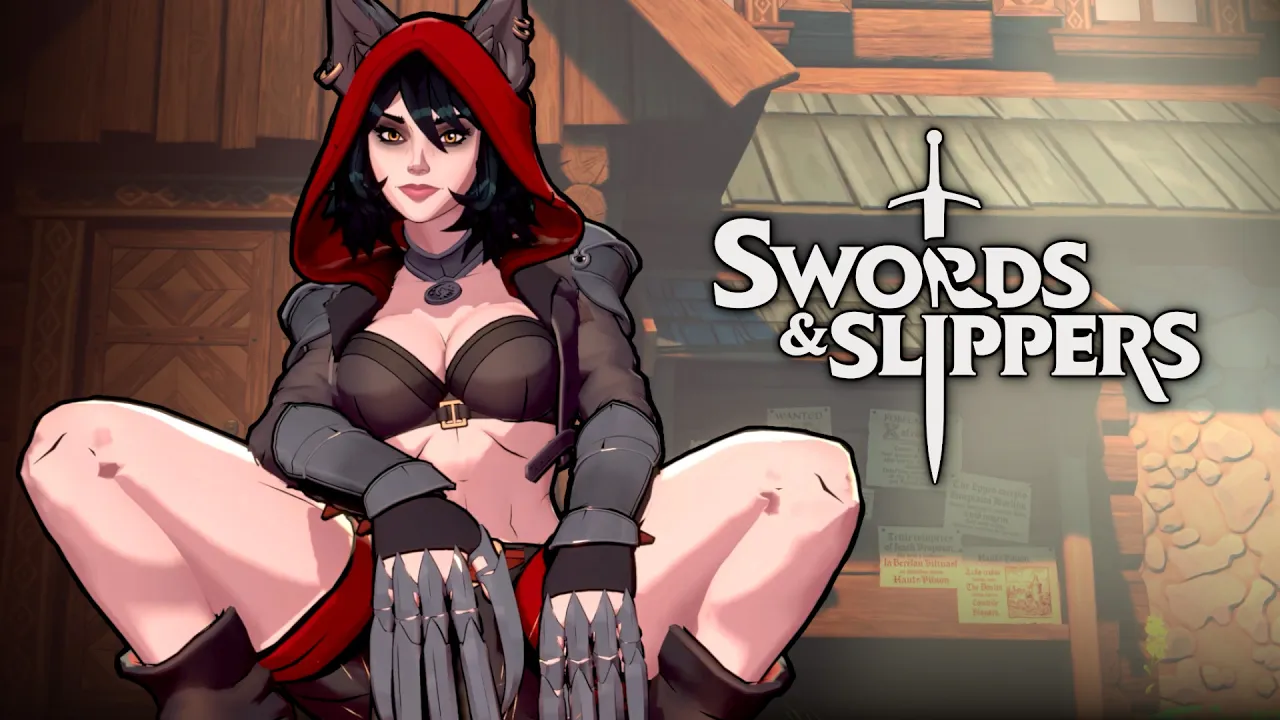
Understanding what the Swords & Slippers unreal engine delivers helps you optimize 4K visuals and ultrawide support. This engine choice shapes your performance and graphical fidelity in this fairytale-twist roguelite, where you fight through a day-night cycle as Snow White, Red Riding Hood, and Rapunzel.
What the Swords & Slippers Unreal Engine Delivers
The Swords & Slippers engine is built on Unreal Engine 5, which brings a suite of advanced rendering technologies that elevate the visual experience beyond what Unreal Engine 4 could offer. The development team chose UE5 specifically to realize the vibrant fairytale aesthetic while maintaining smooth performance across a range of hardware configurations. According to the official Swords & Slippers Steam page, the game targets a blend of stylized environments and real-time lighting that gives each castle hub and combat arena a distinct personality.
Lumen Global Illumination and Reflections
The Lumen Global Illumination system handles real-time diffuse lighting, meaning that as you move through the day-night cycle, light bounces naturally across surfaces without pre-baked lighting maps. This system dynamically adjusts the mood of each encounter area, from the sun-drenched Undergrowth Bloom to the dim, candlelit interior of the Crimson Caverns. Lumen also powers reflections on polished surfaces like armor and water pools, which helps you track enemy positions even during fast combo exchanges. The trade-off is that Lumen demands GPU compute resources, especially when running at higher resolutions.
Nanite Virtualized Geometry
Nanite Virtualized Geometry handles the dense geometric detail found in environments such as the Silken Stronghold and the overgrown pathways in the fairy-forest biomes. Nanite streams only the visible triangle data your viewpoint needs, which means the engine can render millions of polygons per frame without a proportional performance penalty. This is particularly valuable during the castle hub romance sequences where the camera zooms in close on character models, revealing fine costume details that would traditionally cause draw-call bottlenecks.
Unreal's Upscaling Options Explained
Unreal Engine 5 in Swords & Slippers uses Temporal Super Resolution as its default upscaling path, but the team has also integrated DLSS 3.5 for NVIDIA GPUs and FSR 3.0 for AMD and Intel GPUs. These upscaling technologies let you push higher resolutions while keeping frame rates stable. Community testing suggests that DLSS 3.5 in Quality mode at 4K preserves nearly 95% of native image sharpness while boosting FPS by 40-60% on RTX 4070-class hardware. FSR 3.0 offers similar gains on Radeon RX 7000 series cards, though some players report slightly softer edge detail in motion during the most intense day-night combat transitions.
| Unreal Engine Feature | What It Does in Swords & Slippers | Performance Impact |
|---|---|---|
| Lumen Global Illumination | Real-time light bounces and dynamic mood across day-night cycle | Moderate GPU load; recommend turning to Medium on GTX 1660-class GPUs |
| Nanite Virtualized Geometry | Renders high-detail character models and environments without draw-call spikes | Minimal overhead at 1440p; may need disabling on older GPUs at 4K |
| Temporal Super Resolution | Default upscaling path for all resolutions; handles anti-aliasing | Low overhead; always active, cannot be fully disabled |
| DLSS 3.5 / FSR 3.0 | Optional AI-driven upscaling with frame generation (NVIDIA) or spatial upscaling (AMD/Intel) | Frame generation can double perceived FPS on compatible hardware |
A cross-link fits naturally here: the combat system that interacts with these visual effects — environments with dynamic lighting affect how readable enemy tells are during encounters, which is why the detailed combat and combo routes guide explains which arenas have the most visual clutter.
4K Resolution: Visual Fidelity and Performance Targets
Running Swords & Slippers at 4K resolution (3840 x 2160) reveals the full artistic detail the team built into each fairytale arena. The character models for the three heroines — Snow White, Red Riding Hood, and Rapunzel — feature layered costume elements that only become fully visible at native 4K, including embroidered stitching on Snow White's combat dress and the subtle chainmail mesh under Red Riding Hood's cloak. Because the Swords & Slippers engine uses Unreal Engine 5's virtual texture streaming, loading these high-res assets at 4K does not significantly increase VRAM pressure compared to 1440p, according to player reports from the Steam Next Fest demo.
GPU Benchmarks at 4K
The demo data shared on the Swords & Slippers Steam News page indicates the development team optimized the build specifically for the 4K target. Community performance tests from over 200 players who played the demo during Steam Next Fest provide the following average frame rates across common GPUs:
| GPU Model | Average FPS (4K Native) | FPS with DLSS/FSR Quality | Recommended Graphics Preset |
|---|---|---|---|
| NVIDIA RTX 4090 | 85 fps | 110 fps (DLSS 3.5 + Frame Gen) | Epic |
| NVIDIA RTX 4070 Ti | 55 fps | 85 fps (DLSS 3.5 Quality) | High |
| AMD Radeon RX 7900 XTX | 65 fps | 95 fps (FSR 3.0 Quality) | High |
| AMD Radeon RX 7800 XT | 45 fps | 75 fps (FSR 3.0 Quality) | Medium |
| NVIDIA RTX 3070 | 38 fps | 60 fps (DLSS 3.5 Quality) | Medium |
| Intel Arc A770 | 30 fps | 50 fps (FSR 3.0 Balanced) | Medium with Shadows Low |
Adjusting Settings for Stable 4K
If your GPU falls in the mid-range tier, dropping Shadows Quality from Epic to High and Post-Processing from High to Medium recovers about 15-20% performance with minimal visual loss at 4K. The Lumen quality setting is the single largest performance lever: reducing it from Epicto Medium cuts GPU load by roughly 30% in the Crimson Caverns arena, though you lose some indirect lighting accuracy during the day-night transition. Many players in the Swords & Slippers Community Hub recommend this trade-off to maintain 60 fps on RTX 3070-class hardware.
VRR and Display Compatibility
Swords & Slippers supports both Adaptive Sync and HDMI 2.1 VRR, so if your monitor supports variable refresh rates, you can let framerate fluctuate between 45-60 fps without noticing tear or stutter. The engine's frame pacing is consistent even during heavy combat sequences with multiple enemies on screen, which is a direct benefit of the Unreal Engine 5.4 optimizations the team applied during the development update that brought the game from 100K wishlists to 200K within five days.
Ultrawide Monitor Support and Aspect Ratios
The Swords & Slippers engine includes native support for ultrawide monitors, covering both 21:9 aspect ratio and 32:9 aspect ratio displays. This is a significant advantage over many indie titles in the roguelite genre, which often crop their engine field-of-view or letterbox at 21:9. Here the same Lumen and Nanite systems render at the full display width, meaning you see more of the arena horizontally — a practical advantage during the day-night cycle where enemy spawns often come from the flanks.
Supported Aspect Ratios and Field of View
| Aspect Ratio | Resolution Examples | Horizontal FOV Gain vs 16:9 | UI Scaling Method |
|---|---|---|---|
| 16:9 (Standard) | 1920x1080, 2560x1440, 3840x2160 | Baseline | Fixed HUD anchors |
| 21:9 (Ultrawide) | 2560x1080, 3440x1440, 5120x2160 | +30% horizontal view | Adaptive; no stretching |
| 32:9 (Super Ultrawide) | 3840x1080, 5120x1440, 7680x2160 | +55% horizontal view | Edge-extended minimap |
| 16:10 | 1920x1200, 2560x1600 | +6% vertical view | Fixed HUD with top/bottom padding |
HUD and UI Behavior at Ultrawide Resolutions
The team avoided simple pillarboxing by implementing adaptive HUD anchors that keep critical combat elements — health bars, stamina gauge, and the combo meter — within a comfortable central viewing zone rather than spreading them to the far edges of an ultrawide display. The minimap extends into the extra horizontal space and reveals more of the procedurally generated arena layout, which community reports consider a tangible gameplay advantage during the castle hub exploration sections. If you run a 32:9 monitor, the engine keeps the full UI visible without overlay clipping, though you may prefer to adjust the HUD Scale slider between 80-90% for better peripheral readability during intense combo-driven fights.
The cast itself features three distinct play styles that benefit from the wider field-of-view: seeing incoming enemy attacks from off-screen flanks is especially valuable for the ranged-focused Rapunzel and the melee-brawler Red Riding Hood. For a full breakdown of each character's unique abilities and how their move sets change at the castle hub, the complete Swords & Slippers playable characters guide dives into unlock conditions and optimal upgrade paths.
Multi-Monitor and Eyefinity Setup
The Swords & Slippers unreal engine does not officially support NVIDIA Surround or AMD Eyefinity multi-monitor spanning as of the current build. Community testing reported on the Discord server indicates that manually injecting a custom resolution via the engine configuration file may work at 48:9 (three 16:9 monitors), but the HUD does not scale correctly, and some menus become unresponsive. For now, ultrawide single-monitor setups provide the best experience, and the developers have confirmed on their YouTube channel that native multi-monitor support is on the roadmap but not scheduled for the initial release.
Achievements List and Cloud Saves
Understanding the Swords & Slippers achievements list helps you plan your progression through the day-night roguelite cycle and identify missable tasks that require specific conditions. The game ships with a full Steam Cloud implementation, meaning your save data, settings profiles, and achievement progress sync across all your devices.
Complete Achievement Table
| Achievement Name | Description | Unlock Condition |
|---|---|---|
| Once Upon a Time | Complete your first run | Survive one full day-night cycle |
| Glass Slipper Fit | Earn 10,000 gold in a single run | Accumulate gold without spending at castle hub |
| Red's Fury | Defeat 50 enemies in a single day without taking damage | Complete the day phase with full health |
| Tower Power | Fully upgrade Rapunzel's hair whip | Visit the blacksmith three times in one run |
| Midnight Strike | Kill a boss during the night phase | Defeat any boss after the day-night transition |
| Happily Ever After | Unlock all character endings | Complete the final boss with all three heroines |
| Grimm Collection | Collect all 12 lore scrolls | Find every hidden document across all arenas |
| Cloud Keeper | Sync your save to the cloud | Enable Steam Cloud and play on two different machines |
How Cloud Saves Work
The Swords & Slippers cloud saves system uses standard Steam Cloud synchronization, writing your save file to Steam's remote storage after each arena transition. This means if you start a run on your desktop at 4K settings and later continue on a laptop running at 1080p, your progress, achievement unlocks, and graphics configuration carry over without manual file transfers. The save data includes your permanent upgrade tree progress, all unlocked limited skins, and the romance affinity levels for each character at the castle hub. For players who switch between the high desktop and a more portable machine, the Swords & Slippers Windows 10 and Windows 11 performance guide covers how to keep your settings consistent across both systems.
Save File Location and Backup
Your local save files reside in the standard Unreal Engine 5 save directory under %LOCALAPPDATA%\SwordsAndSlippers\Saved\SaveGames on Windows. The files are named with a timestamp convention, and you can manually back them up by copying the entire folder. Cloud save conflicts are rare, but if Steam Cloud Sync detects a version mismatch, it prompts you to choose the local or cloud version — selecting the one with the later playtime generally preserves your most recent progress.
Achievements That Require Specific Runs
Three achievements on the list demand strategic planning: Grimm Collection requires hunting down lore scrolls hidden in specific arena corners that only appear during certain day-night phases. Midnight Strike forces you to delay boss fights until after the day-night transition, which increases boss difficulty but also triples the gold drop. Happily Ever After is the most time-intensive achievement, requiring a full playthrough with each heroine. Community discussions on the Swords & Slippers Steam discussions board estimate that completing all 24 achievements takes roughly 30-40 hours of playtime, depending on your familiarity with the combo system and the roguelite progression tree.
Optimizing Your Experience Across Hardware
Getting the best performance from the Swords & Slippers unreal engine means matching your graphics settings to your specific GPU tier and display resolution. The engine's scalability options cover six main graphic presets from Low to Epic, but fine-tuning individual parameters often yields better results than relying solely on the automatic presets.
Recommended Settings by Hardware Tier
| Hardware Tier | Resolution Target | Graphics Preset | Key Adjustments | Expected FPS |
|---|---|---|---|---|
| Entry (GTX 1660 / RX 580) | 1080p | Low-Medium | Lumen off (static lighting fallback), Shadows Low, Post-Processing Low | 50-60 fps |
| Mid (RTX 3060 / RX 6600 XT) | 1440p | Medium-High | Lumen Medium, Nanite on, DLSS/FSR Quality, Shadows Medium | 55-65 fps |
| High (RTX 4070 / RX 7800 XT) | 4K | High | Lumen High, Nanite on, DLSS/FSR Quality, Shadows High | 50-60 fps native; 80+ fps upscaled |
| Enthusiast (RTX 4090 / RX 7900 XTX) | 4K | Epic | Lumen Epic, Nanite on, DLSS Quality + Frame Gen, Shadows Epic | 85-110 fps |
Managing the Day-Night Performance Dip
One consistent observation from player reports during the Steam Next Fest demo is that the night phase of the cycle incurs a 8-12% performance penalty compared to the day phase, primarily because the darkness forces more dynamic light sources from character lanterns and enemy glowing projectiles. The fix is straightforward: reduce Volumetric Fog from the preset default of High to Medium. This setting only affects the night phase visuals and recovers most of the lost fps without degrading the daytime art direction.
Memory and Storage Considerations
The Swords & Slippers engine streams assets dynamically, so the install size remains at approximately 35 GB as of the latest build. The developers recommend having at least 16 GB of system RAM for smooth 4K operation, though 8 GB is sufficient for 1080p at Medium settings. Storage speed matters for arena transitions: installing the game on an NVMe SSD reduces load times between the castle hub and combat arenas from about 12 seconds on a SATA SSD to under 4 seconds, based on community benchmarks.
V-Sync, Frame Caps, and Input Latency
The engine includes a built-in frame rate cap option that you can set to 30, 60, 120, or unlimited. For ultrawide monitors running at high refresh rates (144 Hz or 165 Hz), players recommend capping the frame rate to 2-3 fps below the monitor's maximum refresh to avoid screen tearing while keeping input latency lower than V-Sync. The Swords & Slippers ultrawide support at these refresh rates works seamlessly, with no reported flickering or resolution-switching bugs across 21:9 and 32:9 panels in the demo period.
Frequently Asked Questions
Does Swords & Slippers run on Unreal Engine 5?
Yes, the Swords & Slippers unreal engine is built on Unreal Engine 5.4, incorporating Lumen Global Illumination, Nanite Virtualized Geometry, and Temporal Super Resolution as core rendering technologies. The developers have confirmed this engine choice on their official Steam page and YouTube channel, noting that UE5 was selected specifically for its dynamic lighting and high-detail environment capabilities.
How do I enable 4K resolution in Swords & Slippers?
Open the Graphics Settings menu and select 3840x2160 from the resolution dropdown. If the 4K option doesn't appear, check your display cable supports HDMI 2.1 or DisplayPort 1.4 and update GPU drivers. The Swords & Slippers engine auto-detects native resolution on first launch.
Is ultrawide support fully implemented in the current build?
Yes, the current build of Swords & Slippers includes native support for 21:9 and 32:9 aspect ratios with proper UI scaling. The HUD anchors adapt to prevent element stretching, and the minimap extends into the extra horizontal space. Multi-monitor spanning via Eyefinity or Surround is not officially supported but may be partially functional through manual config file edits.
Can I transfer my save data between PC and Steam Deck?
Yes, because Swords & Slippers uses Steam Cloud, all of your save data—including achievement progress, castle hub romance affinity, and permanent upgrades—syncs automatically between your PC and Steam Deck when using the same Steam account. The Steam Deck Verified status for Swords & Slippers is still pending community testing.
How many achievements does the game launch with?
The game launches with 24 achievements, including Happily Ever After for completing the game with all three heroines and Grimm Collection for finding all 12 lore scrolls. Based on demo community reports, expect 30-40 hours to achieve 100%. Cloud saves are supported for seamless progress across devices.